

Store Settings
Delivery charges & GST
Your flat delivery charge, the free-shipping threshold, whether prices include GST, and what the buyer actually sees at checkout.
Four settings on this screen decide what every buyer is charged. Getting the GST switch backwards is the most common pricing mistake on the platform, so it is worth reading this one carefully.
Where to find it: menu → Settings.
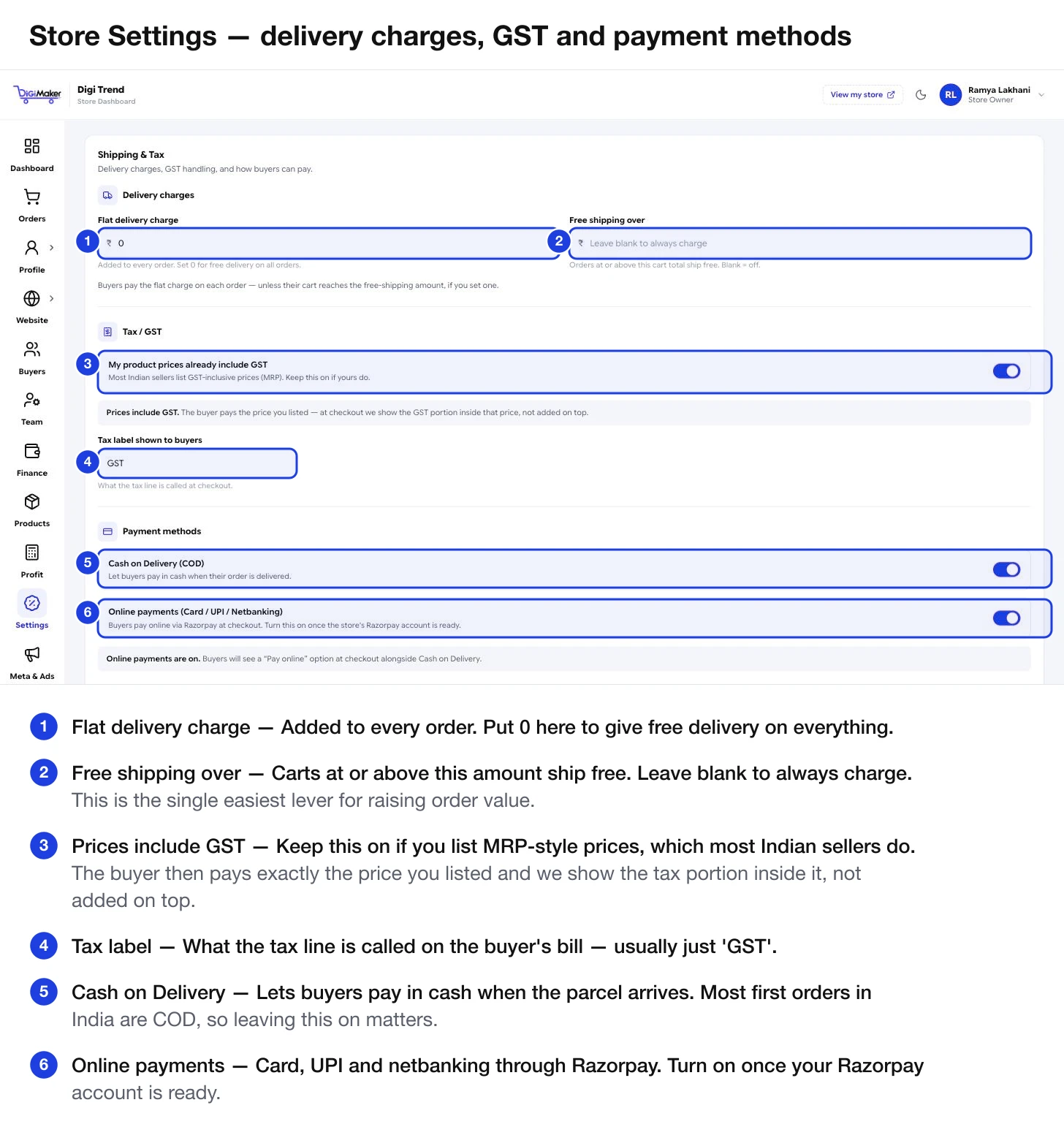
Delivery charges
| Field | What it does |
|---|---|
| Flat delivery charge | Added to every order. Set 0 for free delivery on everything. |
| Free shipping over | Carts at or above this total ship free. Leave blank to always charge. |
Individual products can override this — see Free Shipping Eligible in step 3 of the product form.
Tax / GST
One switch, two completely different outcomes.
The price you typed is the final price. A ₹799 product costs the buyer ₹799, and at checkout we show the GST portion sitting inside that ₹799.
This is right for most Indian sellers, who list MRP-style prices. Keep it on unless your accountant tells you otherwise.
GST is added on top. A ₹799 product at 12% costs the buyer ₹895.
Right for B2B sellers quoting ex-tax prices. Wrong for a retail shop — buyers see one price on the product page and a bigger one at checkout, and abandon the cart.
Tax label shown to buyers is what the tax line is called on the bill. Usually just “GST”.
The default GST percentage and HSN code come from your Business & GST details, and each product can override them.
Payment methods
| Method | What it does |
|---|---|
| Cash on Delivery (COD) | Buyers pay cash when the parcel arrives. Most first orders in India are COD — leaving this on matters more than sellers expect. |
| Online payments | Card, UPI and netbanking through Razorpay. Turn on once your Razorpay account is ready. |
The panel tells you in plain words what buyers will see with your current combination. Payment-linked discounts, Half Payment and cancellation rules are covered on Payment methods & discounts.
Order cancellation
- Cancellation policy — whether buyers see a Cancel Order button at all.
- Cancellation window — how many hours after ordering they can still cancel. Blank means no time limit.
A short window (say 12 or 24 hours) is a reasonable middle ground: it catches genuine mistakes before you have packed anything, without letting someone cancel a parcel already on a van.