

Buyers & Growth
Your buyers
Everyone who has signed up on your shop — finding a buyer when they call, reading their order history and spend, and blocking someone who keeps refusing deliveries.
Every shopper who creates an account on your storefront appears here. This list is the thing marketplaces never give you — these are your customers, and you can reach them directly.
Where to find it: menu → Buyers.
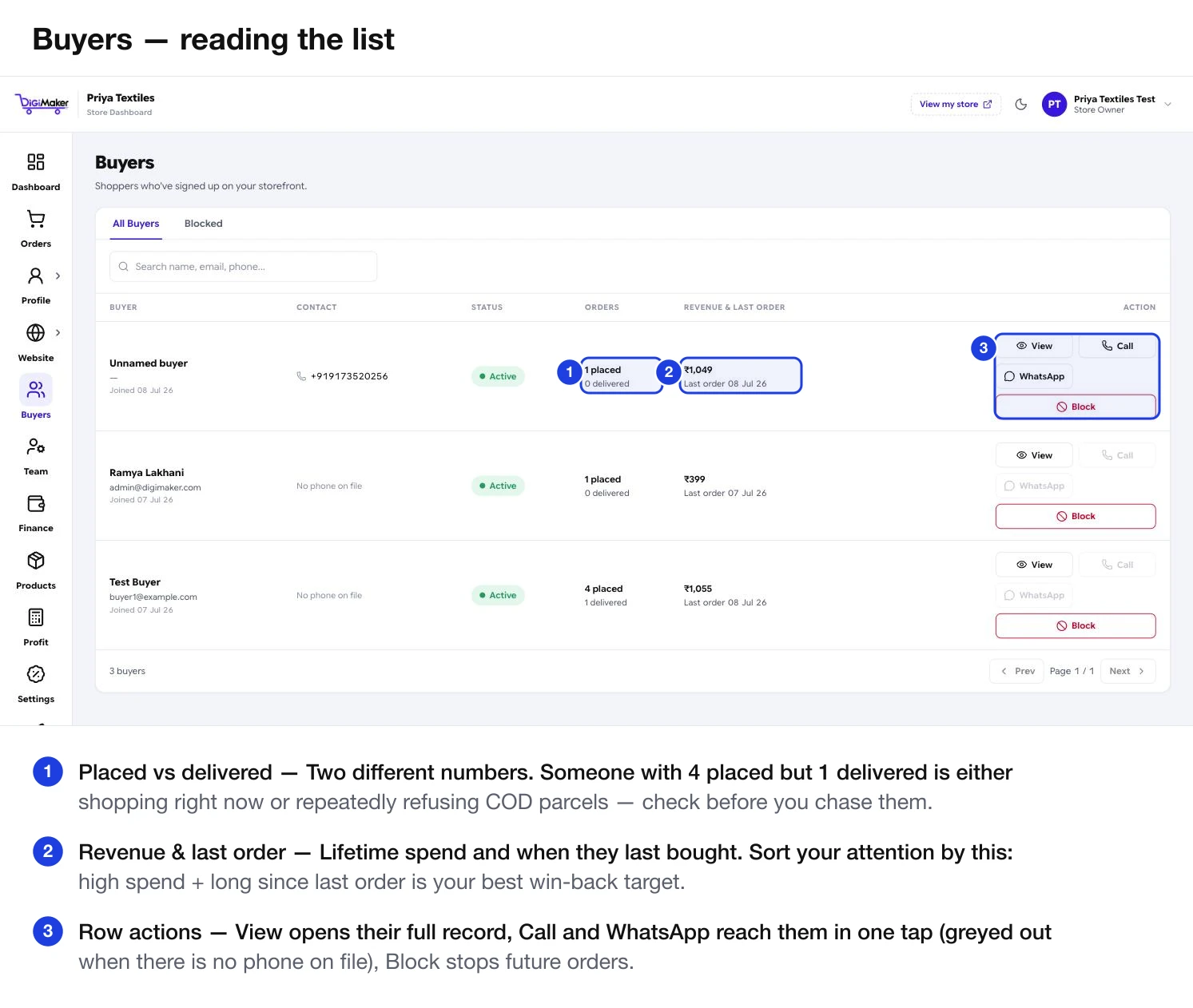
What each column tells you
| Column | What it shows |
|---|---|
| Buyer | Name, email and when they signed up. |
| Contact | Phone, or “No phone on file”. |
| Status | Active, or blocked. |
| Orders | Two numbers: how many placed and how many actually delivered. |
| Revenue & last order | Lifetime spend, and when they last bought. |
| Action | View their record, Call or WhatsApp them in one tap, or Block. |
Opening a buyer’s record
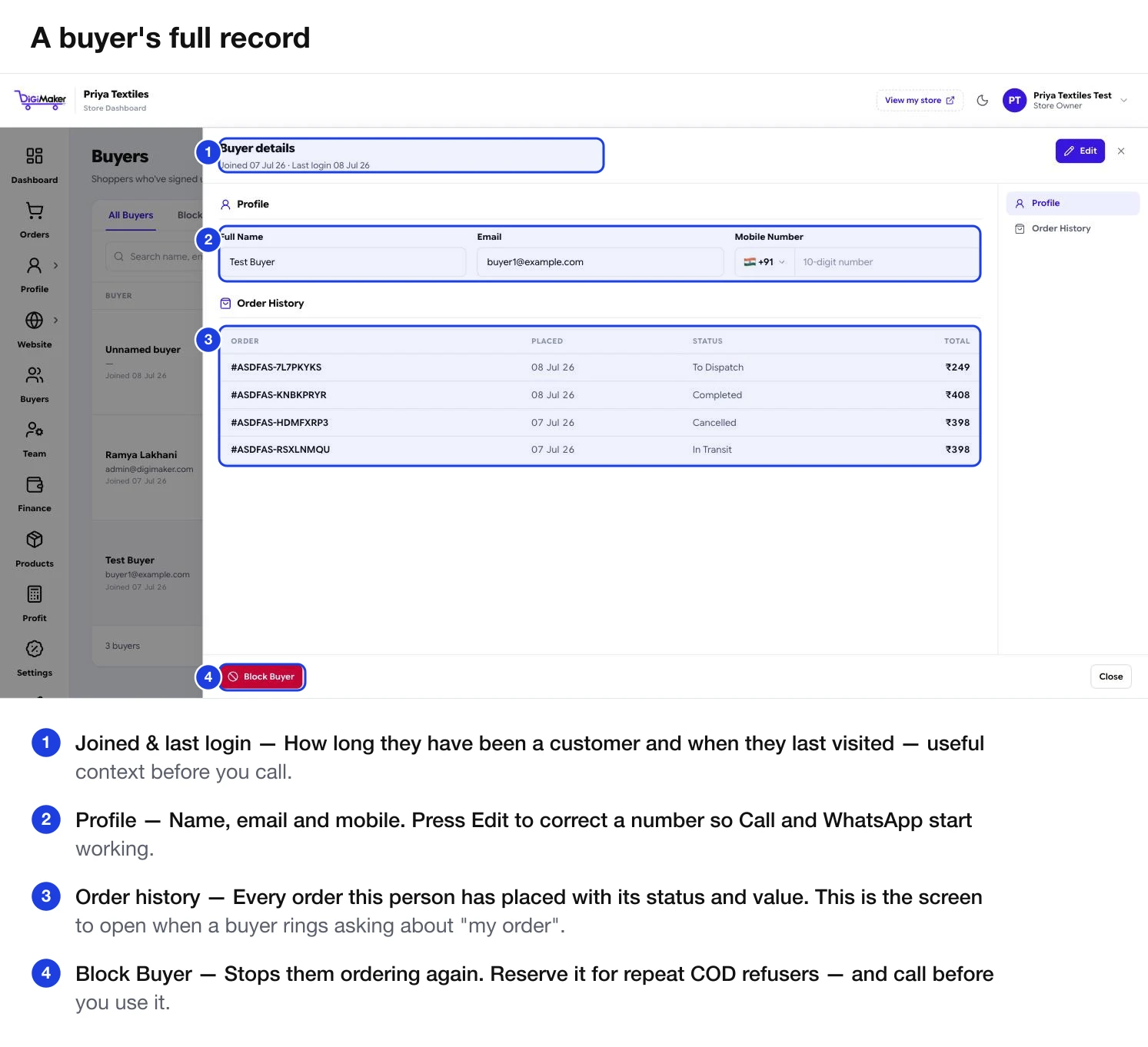
- Joined and last login — useful context before you call.
- Profile — name, email, mobile. Press Edit to correct a number.
- Order history — every order with status and value. This is the screen to open when a buyer rings about “my order”.
- Block Buyer — at the bottom, deliberately out of the way.
Finding someone fast
The search box takes a name, email or phone number. When a buyer calls about an order, this is the fastest route to their history — you can see what they bought and when before the conversation gets going.
Reading the list
Anyone with three or more orders costs you nothing in ads and already trusts you. Sort by orders or revenue and you have your best-customer list — the people worth a WhatsApp message when new stock lands.
A win-back opportunity. A coupon with a tight per-buyer limit sent to this group usually outperforms the same money spent on ads to strangers.
They were interested enough to create an account and then stopped. Something got in the way — often delivery cost or an unclear price. Worth asking a couple of them directly.
Blocking a buyer
The Blocked tab holds anyone you have stopped from ordering. In practice this is for repeat COD refusers — someone who has ordered three times and refused delivery three times has cost you six shipping legs for nothing.
Blocking prevents future orders. It does not affect anything already placed.
Using this list well
Message repeat buyers when new stock lands
They already know your quality. This is the cheapest sales channel you have.
Run a win-back coupon on lapsed buyers
Generous discount, tight per-buyer limit, sent directly rather than advertised publicly.
Call your best customers occasionally
Ask what they would like you to stock. Manufacturers who do this find product ideas that ads never surface.
Check new COD buyers before dispatch
Cross-reference against this list — a first-time buyer on a large COD order is worth a confirmation call.