
Money
Payments & COD
Connect Razorpay for online payments, enable Cash on Delivery, and understand your wallet, commission, and the negative-balance rule.
You can offer buyers online payments, Cash on Delivery, or both — turn on either from your dashboard’s Payments tab.
Open Payments in your dashboard
Go to Dashboard → Payments.
Connect Razorpay
Click Connect Razorpay and sign in (or create an account if you don’t have one yet).
Confirm your bank details
Razorpay needs your bank account to settle payments — confirm the details it asks for.
You're live
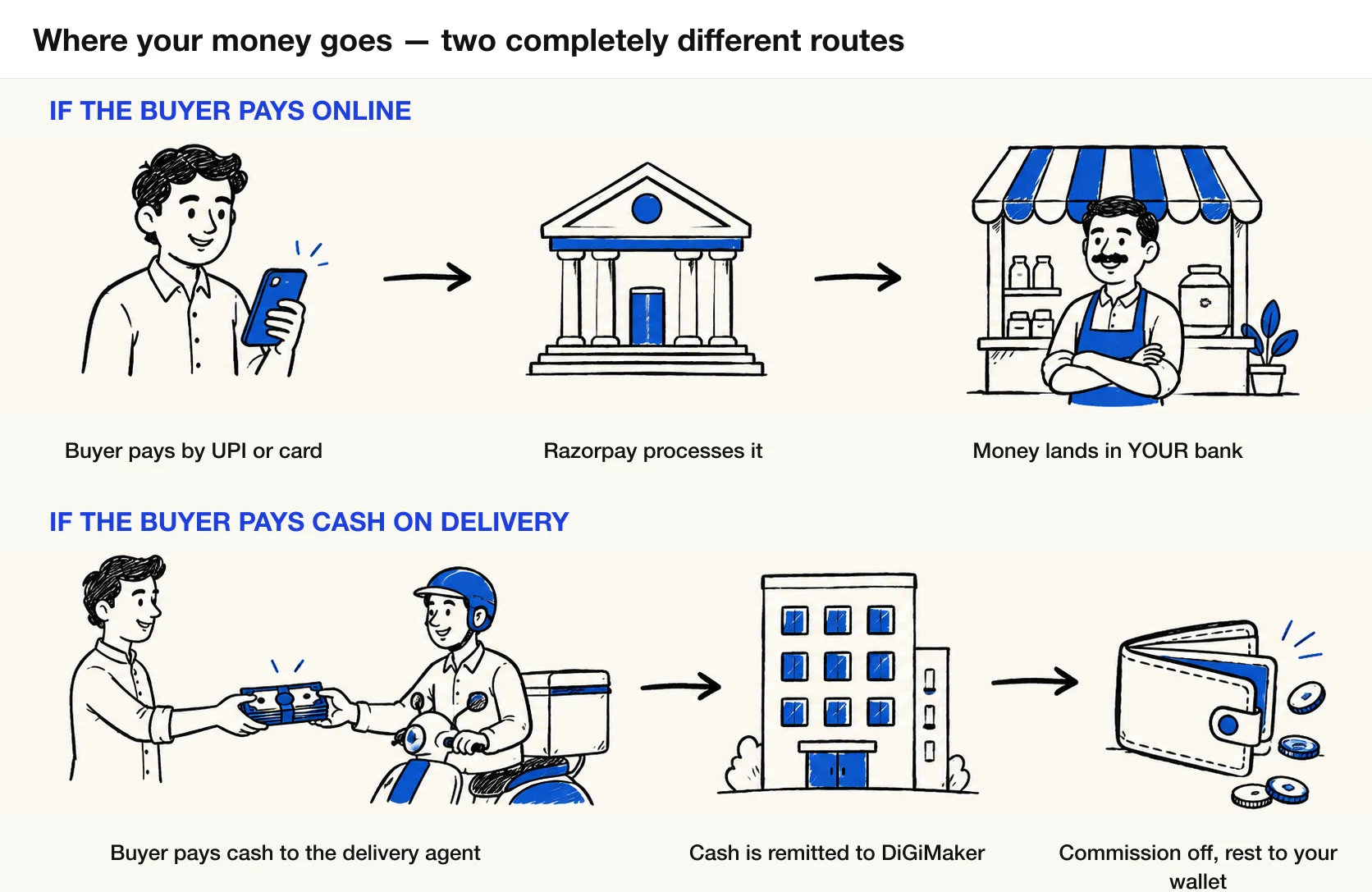
UPI, cards, and netbanking now show up at checkout. Buyers pay you directly through Razorpay.
Cash on Delivery needs no separate account — it’s a single switch in Dashboard → Payments.
- The buyer pays cash to the delivery agent when the order arrives, not to you directly.
- Our delivery partner remits that cash to DiGiMaker.
- We deduct our commission and add the rest to your wallet.
- No bank connection or gateway sign-in required — just switch it on.
How money flows
Online and COD orders reach your wallet differently — worth knowing so a COD payout doesn’t surprise you.
| Online (Razorpay) | Cash on Delivery | |
|---|---|---|
| Who the buyer pays | You, directly, through Razorpay | The delivery agent, in cash |
| Where the money lands first | Your bank account | DiGiMaker (the delivery partner remits it to us) |
| How commission is taken | Deducted from your wallet | Deducted from the COD amount before it’s credited |
| What hits your wallet | A commission debit | A credit for the COD amount minus commission |