

Buyers & Growth
Meta & Ads
How the DiGiMaker marketing team runs your Facebook, Instagram and Google ads, what connecting your Meta account gives you, and how to read whether the ads are working.
You do not write campaigns, set audiences or manage budgets. The DiGiMaker marketing team runs your ads. Your job is to keep the shop worth advertising and to read the numbers honestly.
Where to find it: menu → Meta & Ads.
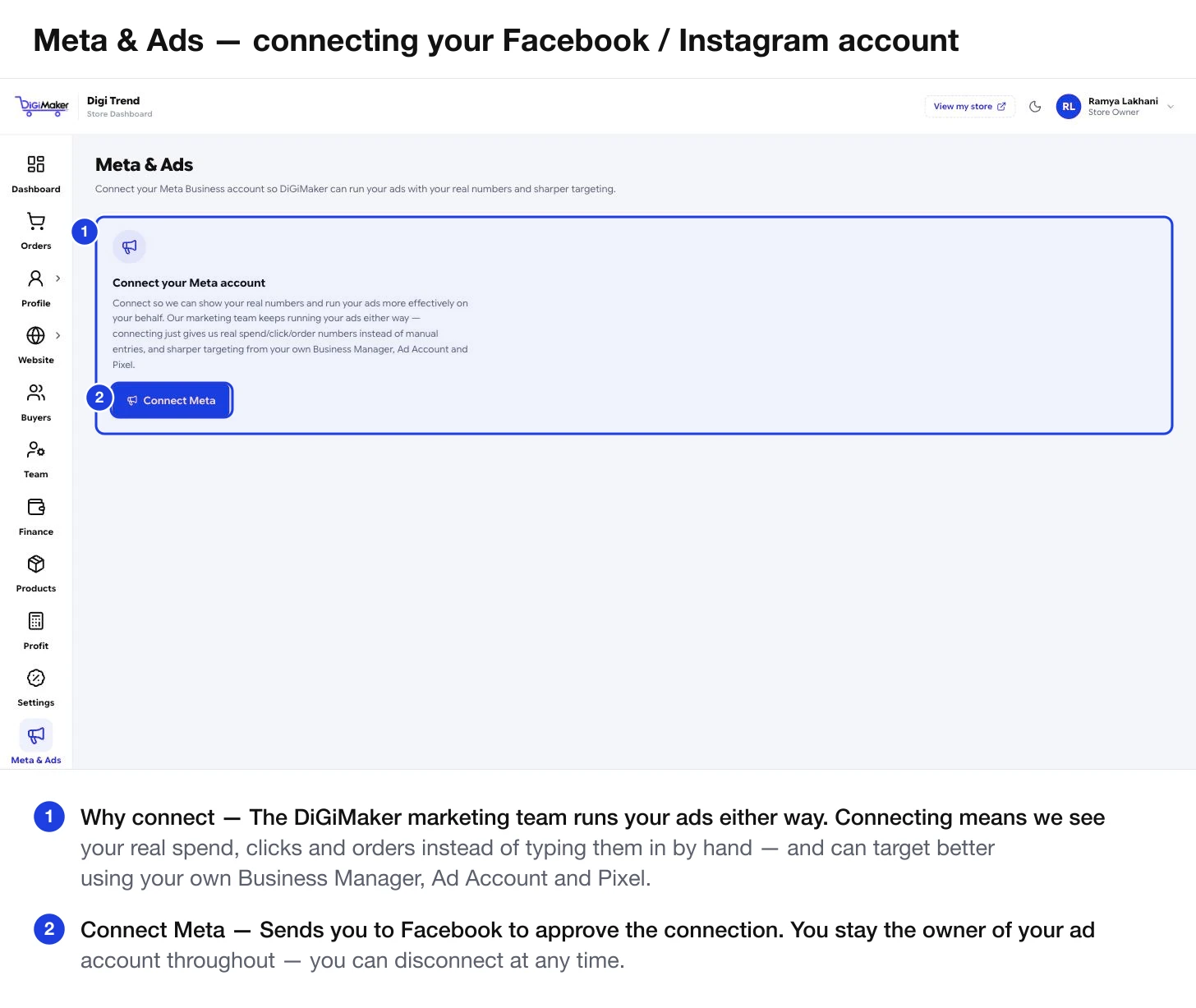
What connecting actually does
The marketing team runs your ads whether or not you connect. Connecting changes two things:
- Real numbers instead of manual entries. Spend, clicks and orders flow through automatically, so the figures on your dashboard are live rather than typed in by hand.
- Sharper targeting. Access to your own Business Manager, Ad Account and Pixel means campaigns can use your real audience data rather than starting cold.
Press Connect Meta, approve it on Facebook, and you are done.
Reading whether the ads are working
Everything below your store-health cards on the dashboard is about ads. The numbers that matter, in order:
| Number | What it tells you | What good looks like |
|---|---|---|
| ROAS | Rupees back per ₹1 spent. | Above ₹1 to break even on ad spend alone. Above ₹3 is a healthy young store. |
| Cost per order | What you pay in ads to win one order. | Below your profit per order. Get that from the Profit calculator. |
| CTR | Out of 100 people who saw the ad, how many clicked. | Low CTR is a creative problem — the ad itself. |
| From click to purchase | Where people drop off. | The panel names your biggest leak. |
| What happened to those orders | Delivered vs RTO on ad-driven orders. | High RTO means you paid for the ad and got nothing. |
Fix the shop before spending more
Ads amplify whatever your shop already does. If the shop converts badly, ads amplify the loss.
Check the funnel first
If the biggest drop-off is Clicks → Add to Cart, the problem is the product page — photos, price clarity, description — not the ad.
Fix the product pages
Three or more clear photos, a proper description, a visible delivery charge, and a return policy. See Adding products.
Cut RTO before scaling
Ad-driven COD buyers are the least committed. See Payment methods & discounts.
Then talk to your marketing contact about budget
With your real cost per order and real profit per order in hand.
Google as well as Meta
The dashboard shows Meta vs Google side by side — spend, returns per ₹1, orders and cost per order for each. The summary line names the better performer, which is how the team decides where to shift budget. You do not have to act on it; it is there so you can see the reasoning.