

Store Settings
Pickup locations
The addresses couriers collect your parcels from — adding one, setting a default, and assigning different products to different warehouses.
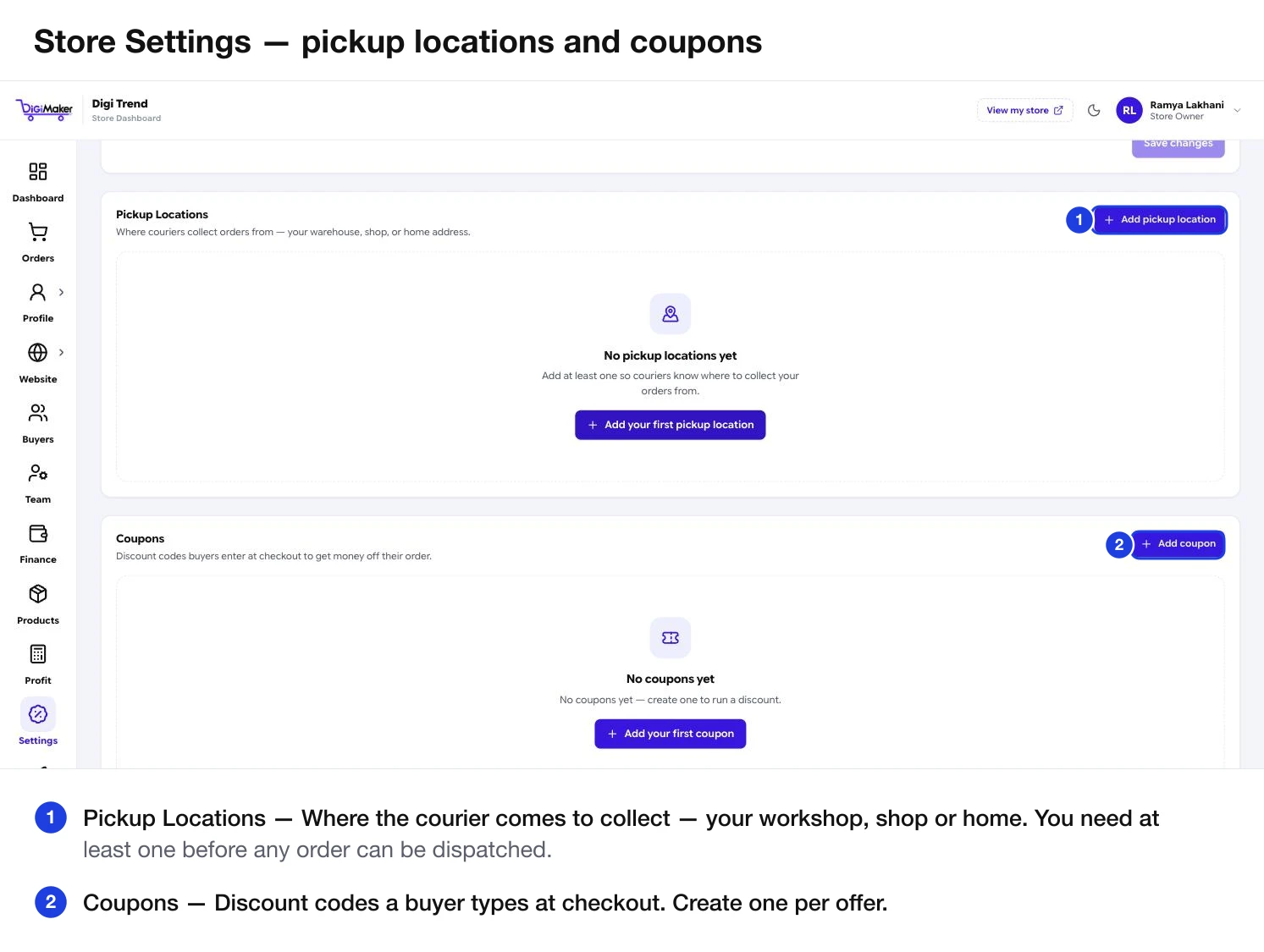
A pickup location is where the courier comes to collect. You need at least one before any order can be dispatched.
Where to find it: menu → Settings → Pickup Locations.
Adding one
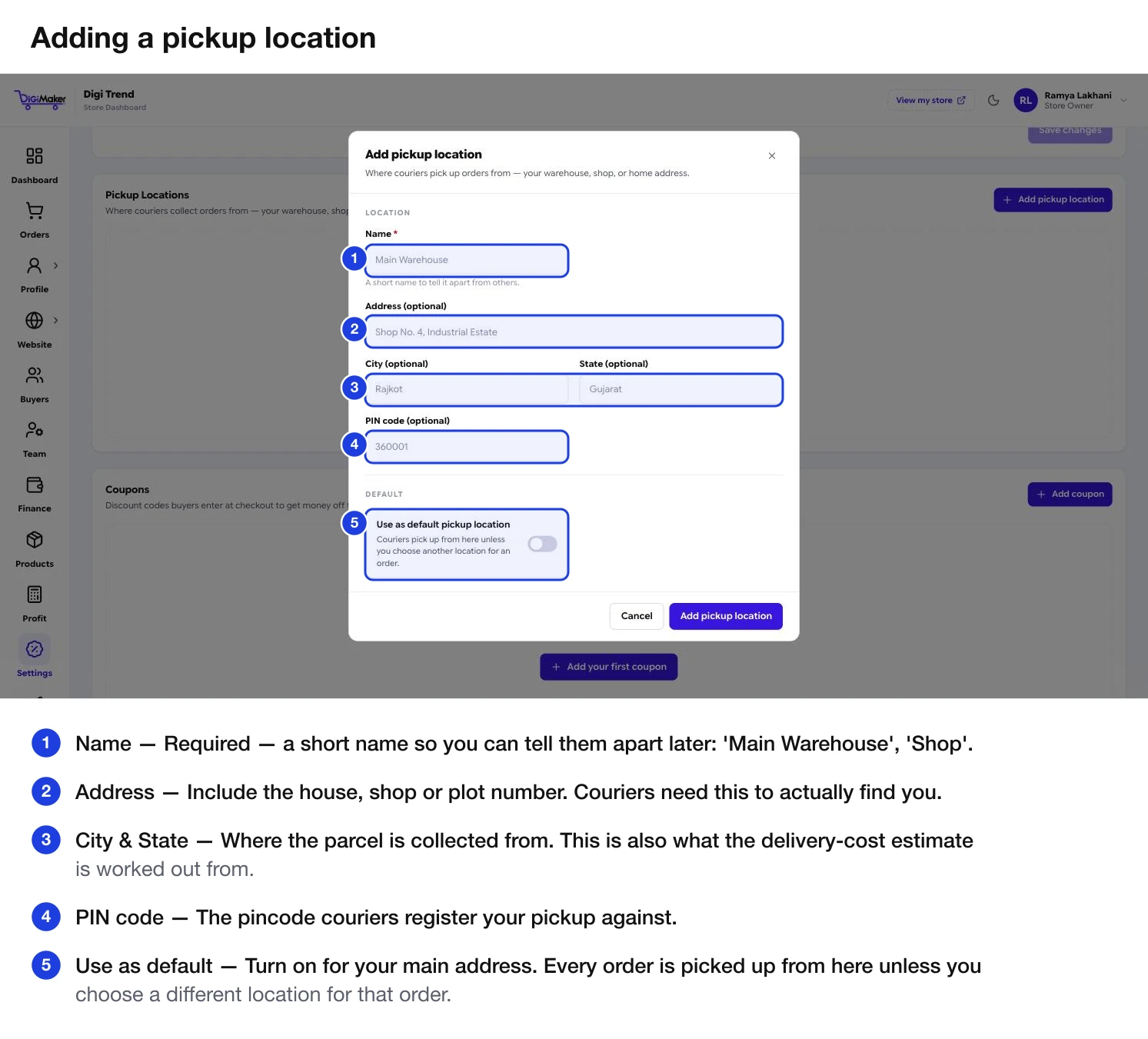
| Field | What to put in it |
|---|---|
| Name | Required. A short name to tell them apart: “Main Warehouse”, “Shop”, “Home”. |
| Address | The full street address. |
| City | Where the parcel is collected from. |
| State | Same. |
| PIN code | What couriers register the pickup against and what delivery cost is calculated from. |
| Use as default | Every order is collected from here unless a product says otherwise. |
Setting a default
Turn on Use as default for your main address. Every order is collected from there unless a specific product points somewhere else.
If you only have one location, make it the default. There is no benefit to leaving it unset.
Using more than one
Useful when you genuinely dispatch from different places — a workshop for one product line and a shop for another.
Add each location here
Give them names you will recognise in a dropdown six months from now.
Assign products to a warehouse
Step 2 of the product form has a Warehouse / Pickup Address field. Pick the right one per product.
Leave the rest on the default
Anything without a specific warehouse uses your default location.
How it connects to shipping cost
The pickup pincode is one half of every delivery calculation — the other half is the buyer’s pincode. It is pre-filled from your business address in the Rate calculator, which is why the business address on Business & GST details needs to be accurate too.