

Getting Started
What you get
Everything included with a DiGiMaker store — the storefront, the dashboard, the money tools, the shipping integration and the team that runs your ads.
Every DiGiMaker seller gets the same complete toolkit. Nothing on this page is an extra you have to ask for.
A real online shop
A full e-commerce storefront, built on one of six designs made for Indian manufacturing trades, live at your own free address on digimaker.in from day one.
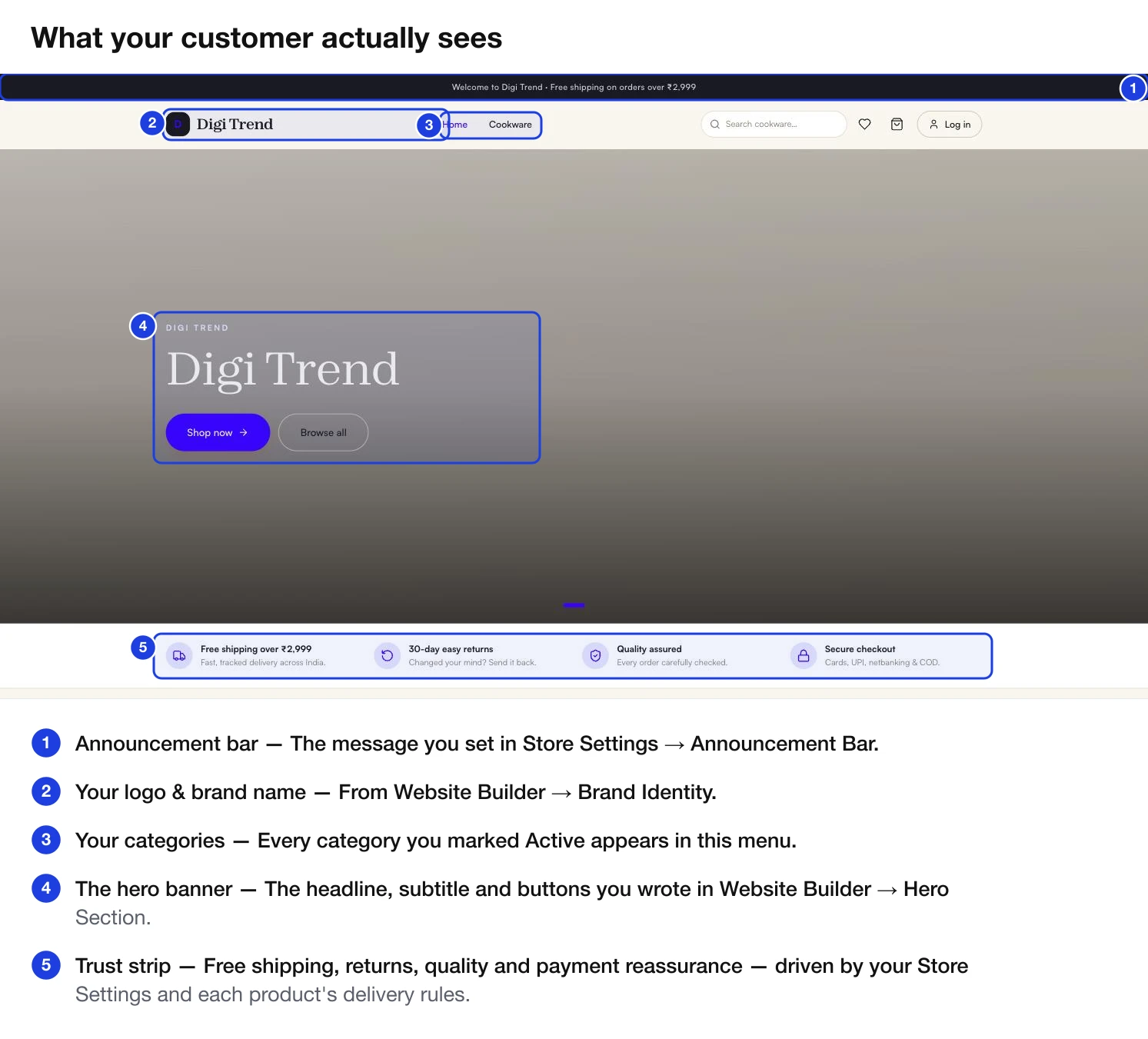
It includes, without you building any of it:
- Product pages with photos, variants, key features and specifications
- Category browsing and a working search box
- A cart and a checkout that takes UPI, cards, netbanking and Cash on Delivery
- Buyer accounts, so shoppers can sign in and see their own order history
- A wishlist
- Policy pages — returns, refunds, shipping, contact — generated from the details you fill in
- Mobile-first layout, because most of your buyers will be on a phone
The dashboard that runs it
| Area | What it gives you |
|---|---|
| Orders | Six-stage pipeline from To Accept through to Completed, with courier tracking built in. |
| Products | Categories, a 4-step product form, variants, bulk import from a spreadsheet, and an inventory screen. |
| Buyers | Every shopper who signed up, what they have spent, and the ability to block a problem customer. |
| Finance | Wallet balance, a line-by-line statement, and payout history. |
| Team | Individual logins for your staff with fine-grained control over what each person sees. |
| Website | Template picker, brand identity, homepage builder, domain setup, and build status. |
| Analysis | Seven views covering trends, funnel, geography, payments, logistics, product P&L and storefront health. |
Money tools
- Both payment routes — Razorpay for online, and Cash on Delivery, which most first-time Indian buyers still prefer.
- Payment-linked discounts — offer a percentage off for paying online, so you can nudge buyers away from COD.
- Half Payment — let a buyer pay part online now and the rest in cash on delivery, which cuts your RTO risk.
- Coupons — discount codes with minimum cart values, caps, expiry dates and per-buyer limits.
- A wallet that shows every credit and deduction, so you can always check a number you disagree with.
- A Profit calculator that uses your real cost prices, ad spend and shipping rates.
Shipping, handled
Courier integration is built in — you do not sign your own contracts or negotiate rates.
- Compare live prices across India Post, XpressBees, Ecom Express, DTDC, Ekart, Delhivery, Shiprocket and Blue Dart before you dispatch
- A default courier per store, overridable per product
- AWB tracking numbers flow back into your Orders screen automatically
- COD cash is collected by the courier, remitted to us, and credited to your wallet
- Return and RTO handling, including reverse-leg shipping rates
A team, not just software
This is the part that is easy to miss when comparing DiGiMaker to a do-it-yourself website builder.
A named person who gets your account created, checks your details, and answers questions while you set up.
They can build your storefront with you or entirely for you. You write what you want changed in the feedback box on Website setup status and they pick it up.
They run your Facebook, Instagram and Google ads. You do not write campaigns or set budgets yourself — you watch the returns on your dashboard and talk to them about direction.
A WhatsApp message away when something is wrong.
What it costs
- ₹5,000 initial payment to start, which creates your account and begins onboarding.
- A commission percentage on each sale, set by the package you bought. Your exact rate is shown on your Bank & payment details screen — check it there rather than assuming.
- Ad spend is yours and separate. The team runs the ads; the budget is your money.