

Your Website
Hero & homepage
Writing the big banner at the top of your shop, adding rotating slides, and stacking the homepage sections underneath it.
Two tabs in the Website Builder shape what a shopper sees before they scroll: the hero banner at the very top, and the home sections stacked beneath it.
The hero section
Where to find it: menu → Website → Website Builder → Hero Section tab.
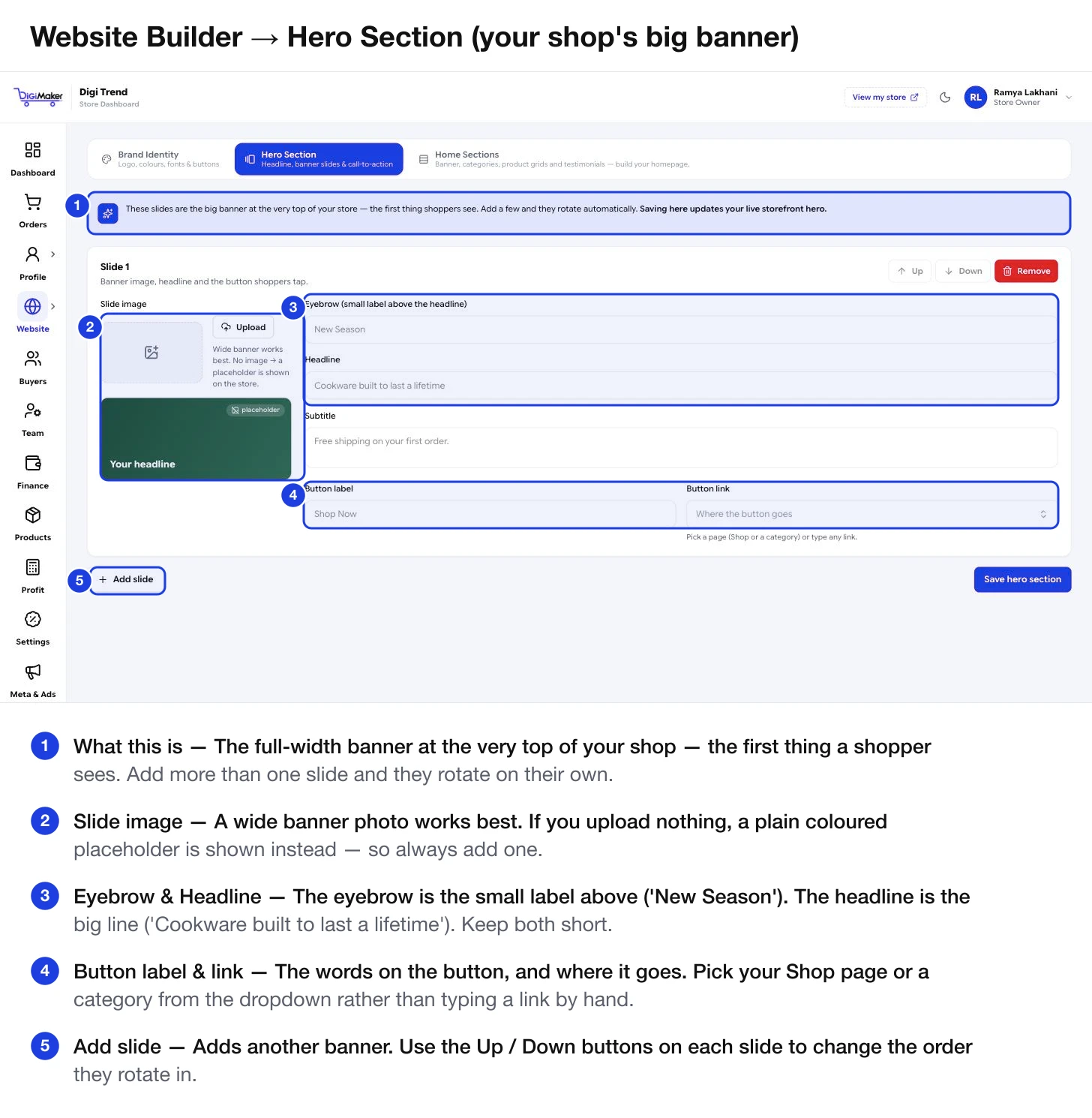
Each slide’s fields
| Field | What it is | Advice |
|---|---|---|
| Slide image | The banner photo. | Wide works best. If you upload nothing, a plain coloured placeholder shows on your shop — so always add one. |
| Eyebrow | The small label above the headline. | Optional. “New Season”, “Handmade in Rajkot”. |
| Headline | The big line. | Say what you make, not what you feel. “Cookware built to last a lifetime” beats “Welcome to our store”. |
| Subtitle | One supporting sentence. | The place for an offer: “Free shipping on your first order.” |
| Button label | The words on the button. | “Shop Now”, “Browse Cookware”. Two or three words. |
| Button link | Where it goes. | Pick your Shop page or a category from the dropdown rather than typing a link — a typed link can break when you rename a category. |
Working with multiple slides
- Add slide creates another. Two or three is plenty — five is a slideshow nobody waits through.
- Up and Down on each slide change the rotation order. The first slide is the one most people actually see.
- Remove deletes that slide.
- Save hero section applies it to your live shop straight away.
Home sections
Where to find it: the Home Sections tab, next to Hero Section.
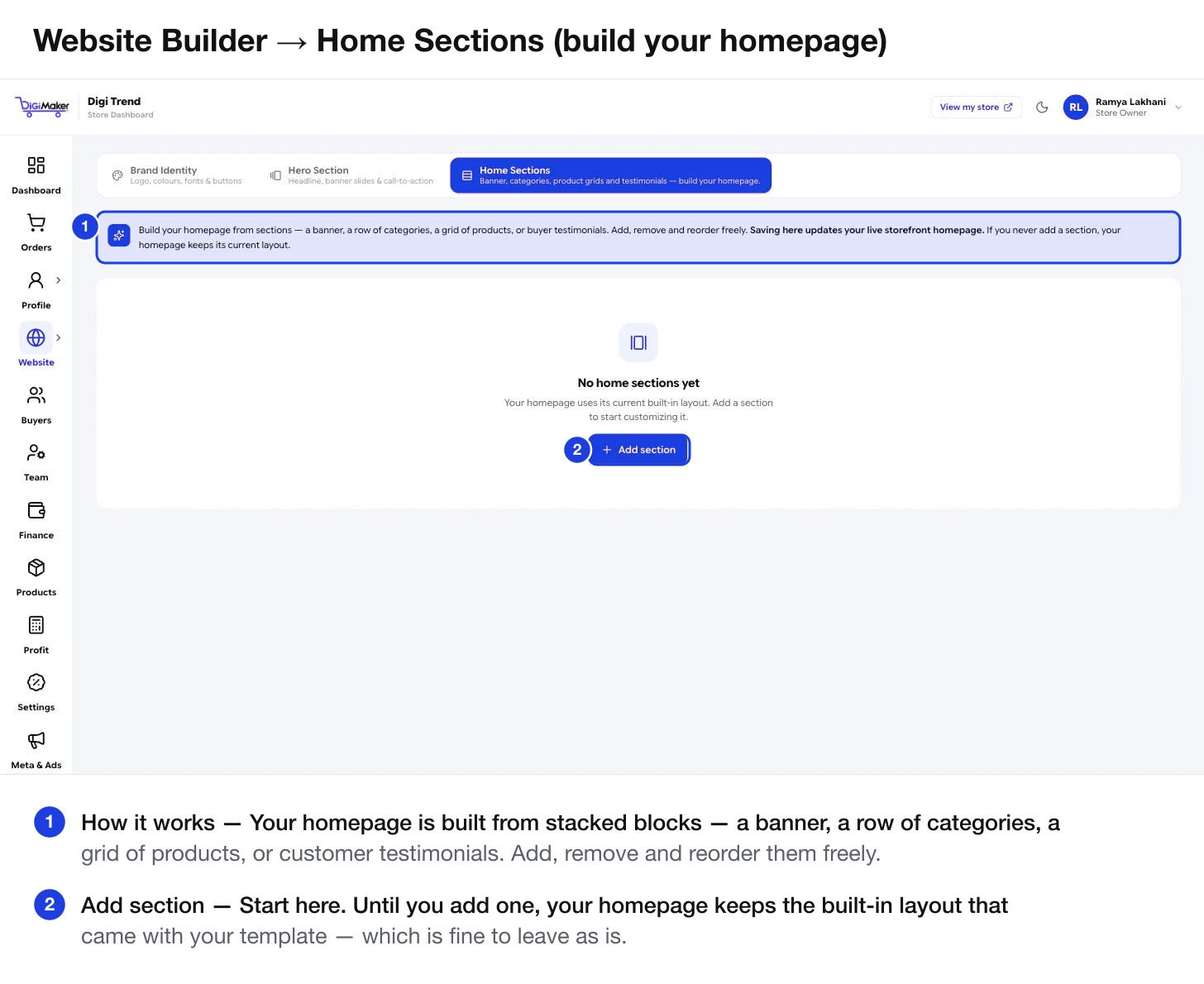
Your homepage is built from stacked blocks. The available kinds are:
- A banner — a wide image or message strip
- A row of categories — the fastest way to help someone find what they want
- A grid of products — your best sellers, new arrivals, or a specific collection
- Buyer testimonials — social proof from people who have already bought
A homepage order that works
Hero
Set in the Hero Section tab. What you sell and why it is worth a look.
Categories
Immediately below. Most shoppers know roughly what they want; let them get there in one tap.
A product grid
Your best sellers or new arrivals. Concrete things with prices.
Testimonials
Once you have real ones. Do not invent them — buyers can tell, and it costs more trust than it buys.